Winerim integration with REVO XEF
Assess and connect REVO XEF data to Winerim after validating permissions, version, mapping and a read pilot.
REVO XEF is not presented as a universal or default-enabled connection. Winerim first confirms which data is available for each customer, then defines catalog, sales, prices, formats, frequency and any stock handling.
REVO XEF
What Winerim connects
These capabilities are integration targets, not a promise made before preflight.
Catalog
Assessment of products, families and references that can be mapped to Winerim.
Sales
Reading sales events when access, identifiers and formats are compatible.
Prices and variants
Reviewing prices and service formats available in the customer's installation.
Multi-unit operation
Defining locations, ownership and frequency when several units are involved.
Activation with verifiable controls
The integration is enabled per venue or connection. Each phase leaves a concrete check before moving to the next one.
- 01
Preflight
We review version, available API or export, permissions, locations and provider limits.
- 02
Data sample
We check identifiers, families, variants, prices and sales structure.
- 03
Read pilot
We validate a real sample without assuming writing or continuous sync.
- 04
Scope proposal
We document what connects, at what frequency, with which controls and support.
What we do not assume
We do not confirm bidirectionality, writing or real time before the pilot.
Capabilities may vary by REVO version, customer permissions and venue configuration.
Deployment is not complete until reading, mapping and duplicate prevention are verified.
From POS data to a cellar decision
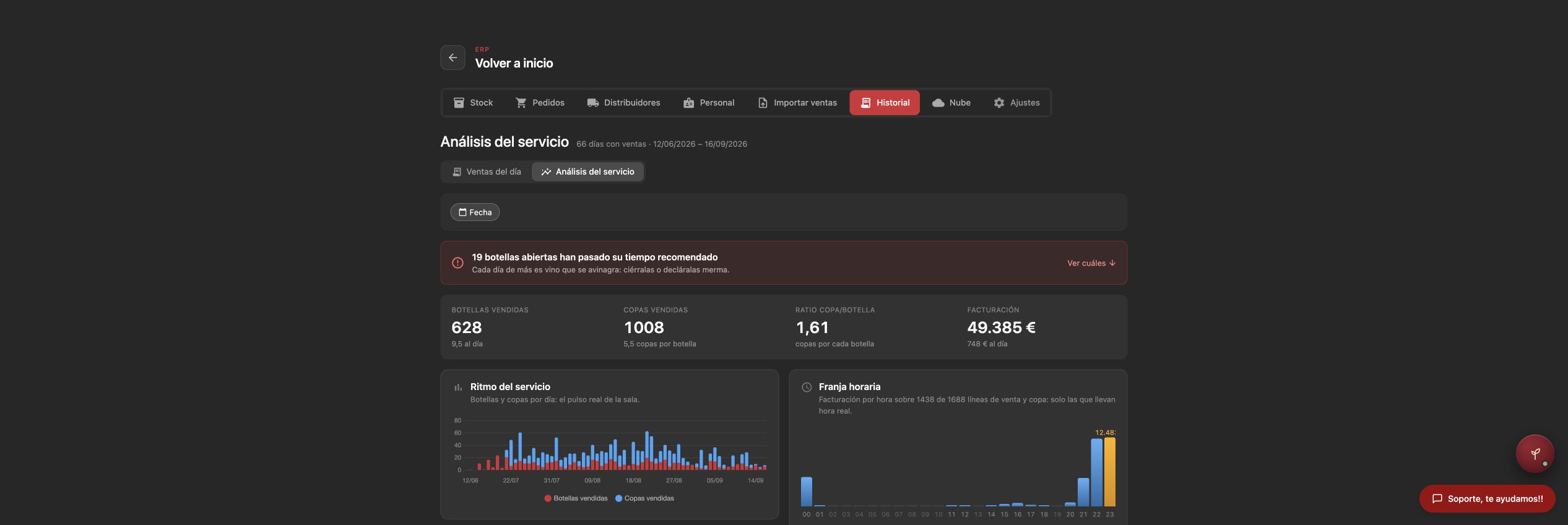
The same Winerim traceability applies when REVO supplies correctly identified and mapped data. The screenshots show the operational result in Winerim; they do not certify a specific REVO installation by themselves.