
The document cloud where your restaurant drops files and Winerim does the heavy lifting
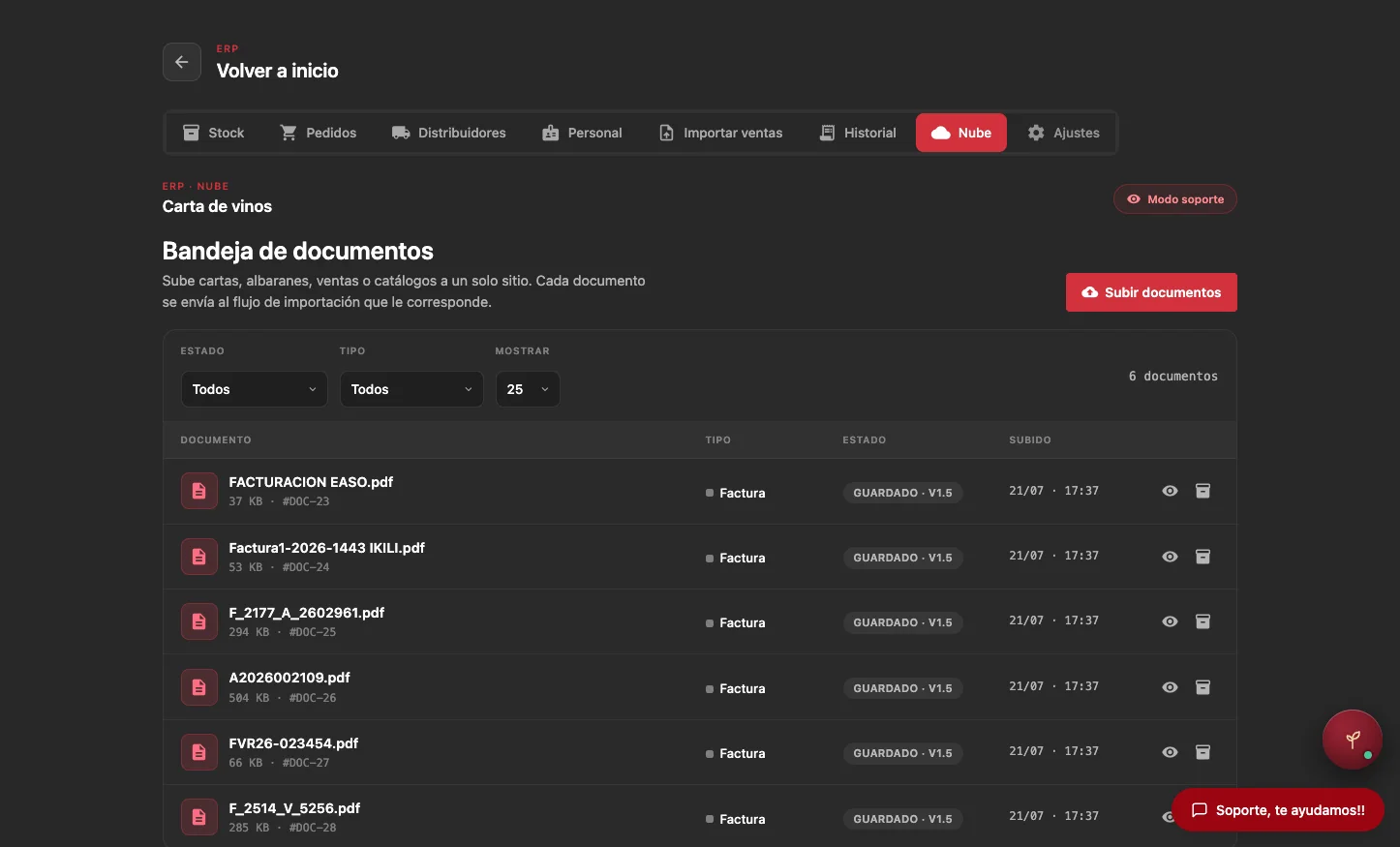
CloudRIM centralizes wine lists, delivery notes, invoices, sales, stock and distributor tariffs. The client uploads, forwards or connects files; Winerim detects whether each file is an invoice, delivery note, tariff or report, extracts the data and routes it to the right workflow.
Portal, email, shared folder, FTP/SFTP, API or provider: CloudRIM adapts to where your information already lives.
Input cloud
Lists, sales, stock, tariffs, delivery notes and invoices
How CloudRIM works
The restaurant uploads or connects documents: list, delivery notes, invoices, sales, stock, tariffs or reports.
CloudRIM detects the document type, distinguishes invoice vs delivery note and extracts the relevant information.
Winerim routes each file to the right workflow: list, purchasing, sales, stock, catalogue or margin.
If an invoice does not match its delivery note, supplier, lines, quantities or totals, it is held for review before costs, stock or margins are changed.
Real operations
The problem is not having data. It is getting it uploaded correctly.
Sales sit in the POS. Delivery notes and invoices arrive on paper or PDF. Distributor tariffs change by email. Stock gets updated late. When teams have to enter everything by hand, it is easy to leave it for another day.
CloudRIM reduces that friction by turning every document input into an ordered, traceable task connected with Winerim.
We do not force restaurants to change their routine
CloudRIM can work with:
Upload portal
Dedicated email
Shared folders
FTP/SFTP POS exports
APIs and webhooks
Distributor documents in PDF, Excel or operational formats
What the restaurant gains
CloudRIM does not replace your POS, ERP or distributors. It acts as an operating layer to receive documents, detect invoices and delivery notes, and turn them into useful Winerim data with human review when something does not match.
CloudRIM organizes. Winerim decides where each data point goes.
CloudRIM does not replace your POS, ERP or distributors. It acts as an operating layer to receive documents, detect invoices and delivery notes, and turn them into useful Winerim data with human review when something does not match.
Frequently asked questions
Stop chasing files. Let them enter Winerim.
We will show you how CloudRIM can start with your current documents and evolve into deeper integrations when the restaurant is ready.
See CloudRIM in a demo